Zoning
We define page zones, content sequence and the role of each section, so the site starts from clear priorities, not decorative blocks.
UX/UI architecture
We turn goals and content into a clear structure: zoning and wireframes first, then brand direction and Figma mockups designed to become a real site.
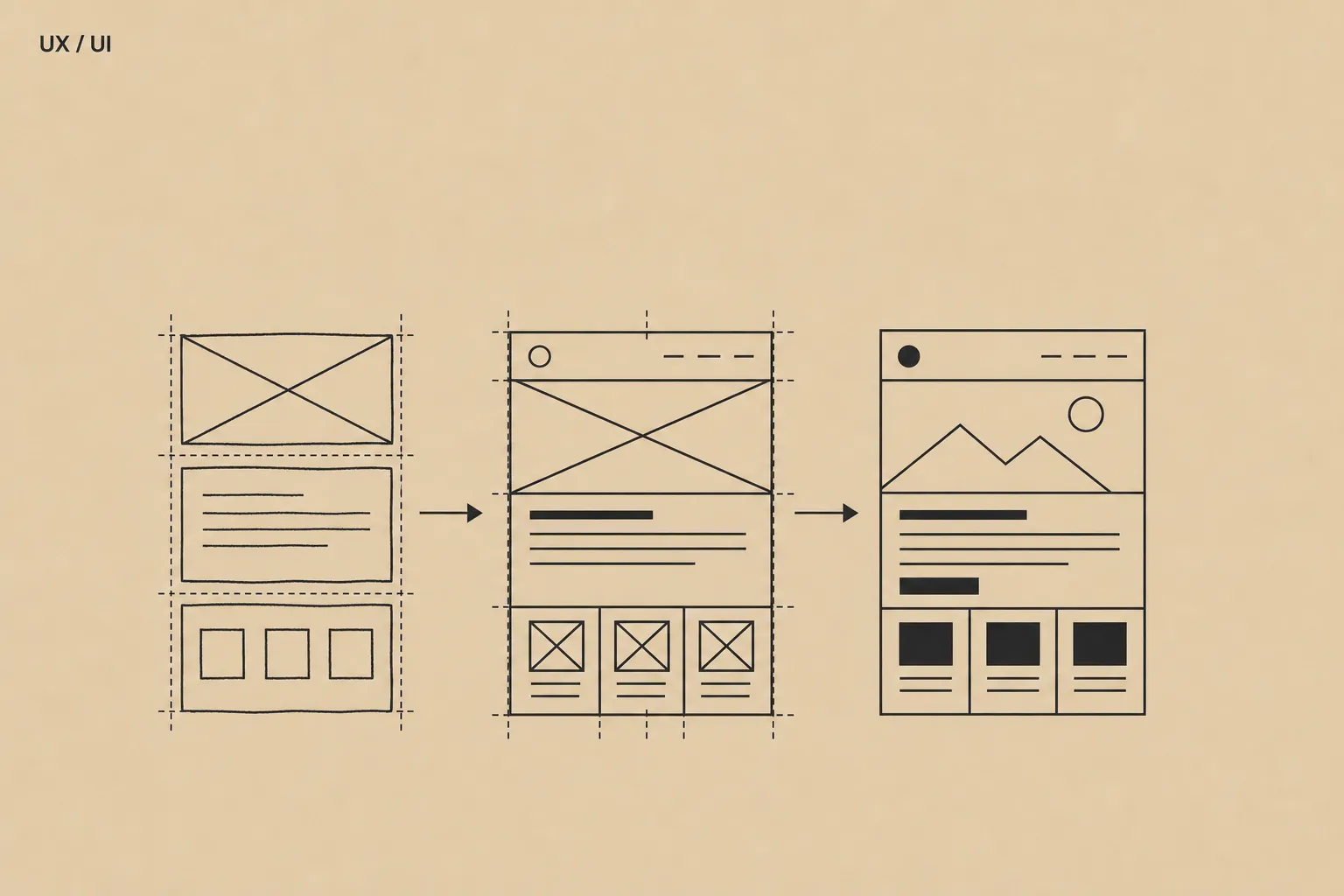
We define page zones, content sequence and the role of each section, so the site starts from clear priorities, not decorative blocks.
We build readable wireframes to validate hierarchy, messages, CTAs and user paths before moving into visual detail.
We apply brand direction, typography, palette and visual rhythm in Figma mockups, preparing screens that are coherent and buildable in Webflow.
We break each page into sections, messages and priorities, so the client validates structure before discussing colours and details.
We design Figma wireframes to clarify hierarchy, CTAs, missing content and reading flow.
We apply visual identity, typography and art direction in final mockups, already prepared for Webflow development.
Zoning is the functional map of the page: sections, content order, role of each block and message priority before final design.
They validate structure, hierarchy, CTAs and content before investing in visual mockups. It reduces unnecessary revisions and makes the site clearer.
Yes. After zoning and wireframes, we translate identity, tone and visual direction into mockups aligned with the brand.
Responsive Figma screens, main components, essential states and useful notes for Webflow development.
Not always, but we need key messages and priorities. If they are missing, we clarify them during zoning and wireframing.